
Ai Image Prompts For Beginners: Best Copy & Paste Examples
One of the biggest challenges for new users of AI image generators is not knowing what to type in the prompt box. Many beginners try simple phrases like “beautiful girl” or “city at night” and end up with random or low-quality results that do not match their expectations.
This is where ai image prompts for beginners become very useful. Instead of guessing, you can use structured, ready-made prompts that guide the AI clearly. These prompts help you control style, lighting, mood, and detail without needing advanced experience.
In this guide, you will find simple copy-and-paste prompts, a basic structure to understand how prompts work, and practical examples you can use immediately in tools like Midjourney, DALL·E, or Stable Diffusion.
What Are ai image prompts for beginners?
ai image prompts for beginners are simple, pre-structured text instructions designed for people who are new to AI image generation. They remove complexity and help users generate high-quality images without needing advanced prompt engineering skills.
A beginner-friendly prompt usually includes:
- A clear subject
- A simple style
- Basic environment
- Lighting description
- A few quality or detail keywords
For example:
Basic prompt:
“a cat”
Beginner optimized prompt:
“a cute fluffy cat sitting on a windowsill, soft natural light, cozy home background, highly detailed, warm atmosphere”
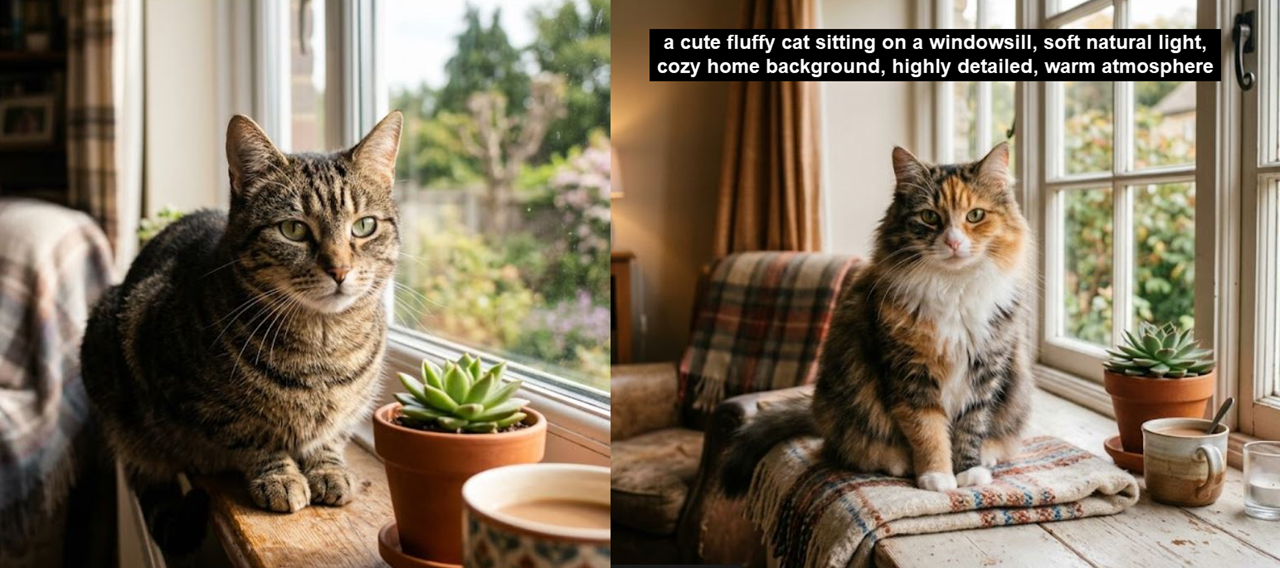
The difference is structure. Beginners get better results when the AI understands more context.
Simple Prompt Formula for Beginners
Before using copy-and-paste prompts, it is important to understand a simple structure:
Subject + Style + Environment + Lighting + Mood
Each part helps improve the final image:
- Subject: What you want to see
- Style: Realistic, anime, digital art, etc.
- Environment: Where the scene happens
- Lighting: Bright, soft, dramatic, neon, etc.
- Mood: Calm, emotional, cinematic, happy
Example:
“A happy child playing in a park, cartoon style, green nature background, soft sunlight, joyful and colorful mood”
This simple structure is the foundation of ai image prompts for beginners.
Copy & Paste AI Image Prompts for Beginners
Below are ready-to-use prompts you can copy directly into any AI image generator.
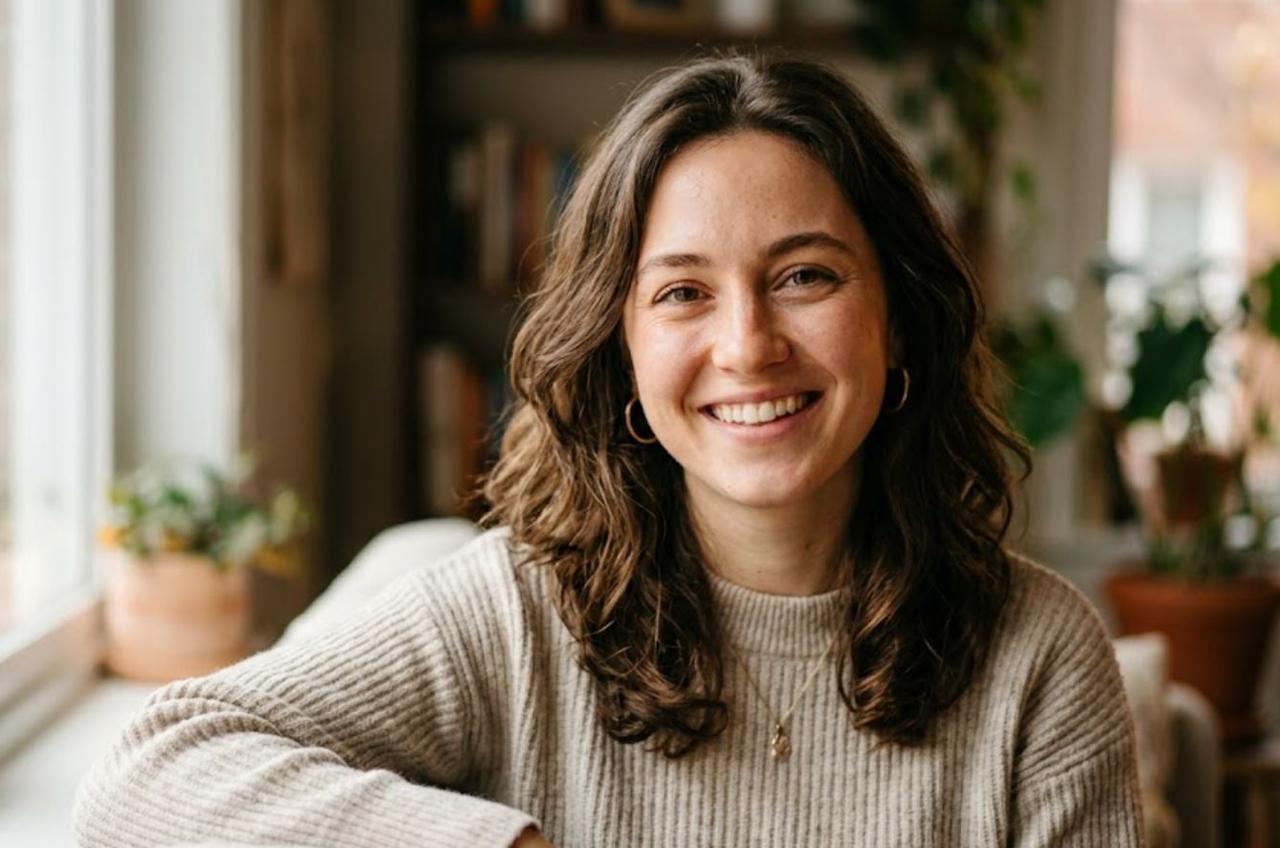
Prompt 1: Beginner Portrait (Realistic)
Prompt: “A young woman smiling naturally, realistic portrait, soft window lighting, blurred background, 85mm camera lens effect, highly detailed skin texture, warm and natural mood”
Prompt 2: Simple Nature Scene
Prompt:“A peaceful lake surrounded by green mountains, sunrise lighting, reflections on water, photorealistic style, calm and relaxing atmosphere, ultra-detailed landscape”
Prompt 3: Easy Fantasy Image
Prompt: “A magical forest with glowing trees and floating lights, fantasy art style, soft blue and green lighting, dreamy atmosphere, highly detailed environment”
Prompt 4: Beginner Cyberpunk City
Prompt: “A futuristic cyberpunk street at night, neon signs glowing in pink and blue, rainy environment, reflections on wet ground, cinematic style, wide-angle view”
Prompt 5: Simple Anime Character
Prompt: “Anime-style girl with long hair standing under cherry blossom trees, soft pink petals falling, gentle sunlight, emotional expression, detailed background, pastel colors”
Step-by-Step: How Beginners Should Use Prompts
Step 1: Choose a Simple Idea
Start with something easy like a person, animal, or place.
Example:
“A dog in a park”
Step 2: Select a Style
Add a visual style to improve quality.
Example:
“A golden retriever in a park, realistic style”
Step 3: Add Environment Details
Describe where the subject is.
Example:
“A golden retriever in a park with green grass and trees”
Step 4: Add Lighting
Lighting improves realism and mood.
Example:
“…with soft morning sunlight and warm tones”
Step 5: Add Final Details
Include quality and mood keywords.
Example:
“highly detailed, peaceful atmosphere, shallow depth of field”
Step 6: Combine Everything
Final Prompt:
“A golden retriever in a park with green grass and trees, soft morning sunlight and warm tones, realistic style, highly detailed, peaceful atmosphere, shallow depth of field”
Why Beginners Get Better Results with Structured Prompts
Many beginners fail because they use very short prompts. AI models need direction. When prompts are too simple, the AI fills missing details randomly.
Using ai image prompts for beginners improves results because:
- The AI gets clear instructions
- The image becomes more consistent
- Style and lighting are controlled
- Less trial and error is needed
Read Also: How to write ai image prompts: Beginner Formula & Examples